
Release Highlights – 29th Sept 2025
SMS History Visibility Enhancement in SMS-Magic Portal and Conversive
This update makes reviewing SMS history faster and more intuitive, streamlining SMS review workflows, reducing clicks, and helping teams maintain context when managing multiple conversations without losing sight of the main message list—making context switching smoother and navigation effortless.
What’s New
- New sidebar view: Message details open in a side panel instead of a popup.
- Better visibility: The main SMS list stays visible for continuous context.
- Easier navigation: Move between messages seamlessly without closing and reopening popups.
- Full detail access: All data previously shown in the popup is now available in a wider, more user-friendly layout.
- Simple controls: Close the sidebar anytime using the “X” button or by clicking outside.
Simpler control, stronger compliance — License Validation for Conversive in Creatio
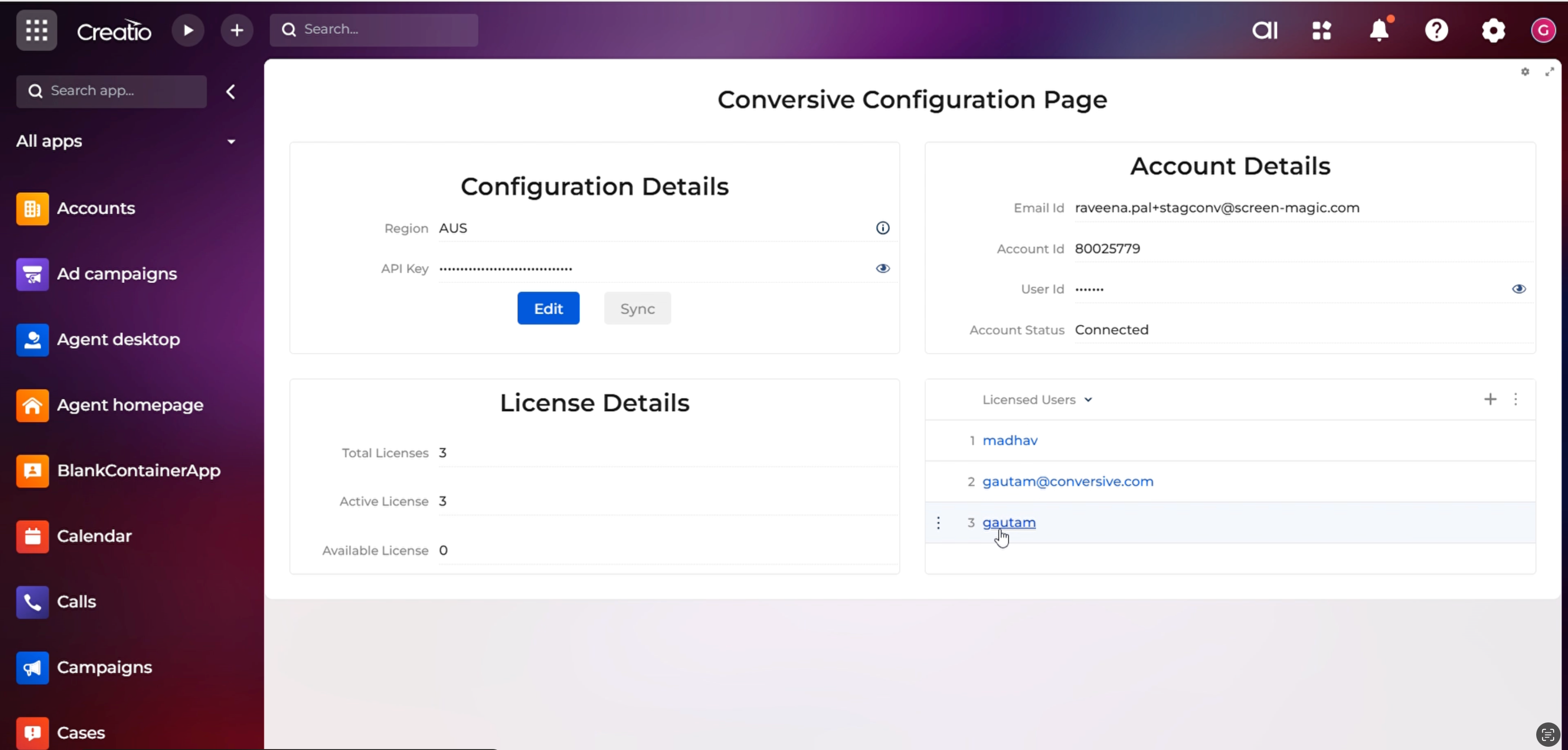
This update introduces server-based Conversive license checks for Creatio users, ensuring that access stays secure, compliant, and centrally managed. Admins can now assign, monitor, and revoke licenses directly from Conversive, with all updates syncing automatically to Creatio. This helps organizations prevent unlicensed usage, maintain visibility, and streamline user management.
What’s New
- Centralized license control: Admins can manage all Conversive licenses from the Conversive console.
- Seamless Creatio sync: License additions or removals in Conversive automatically update in Creatio.
- Secure access: Only licensed users can use Conversive features inside Creatio.
- Clear user messaging: Non-licensed users see a clear notification — “You are not allowed to use Conversive in Creatio. Please contact your Admin for a license.”
- Built-in compliance: License validation occurs every time a user logs in, preventing unauthorized use.
- Admin visibility: All validation errors are logged and available for audit or troubleshooting.
Search Conversations within Queues — now available in Conversive
This enhancement adds search functionality within queues—making it easier for agents and managers to locate conversations without scrolling through long lists. The feature builds on Conversive’s broader Queue Management system, designed to improve operational efficiency, balance workloads, and ensure that customer inquiries reach the right agents on time.
Why It Matters
With in-queue search, teams can respond faster, reduce handling time, and maintain better visibility into ongoing customer interactions—all while keeping workflows organized within the Converse Desk.
What’s New
- Search within queues: Quickly find conversations by number or customer name.
- Context preserved: Search results appear without losing your current queue view.