
Conversive with Zoho Bigin
How to Integrate the Zoho Bigin CRM in Conversive?
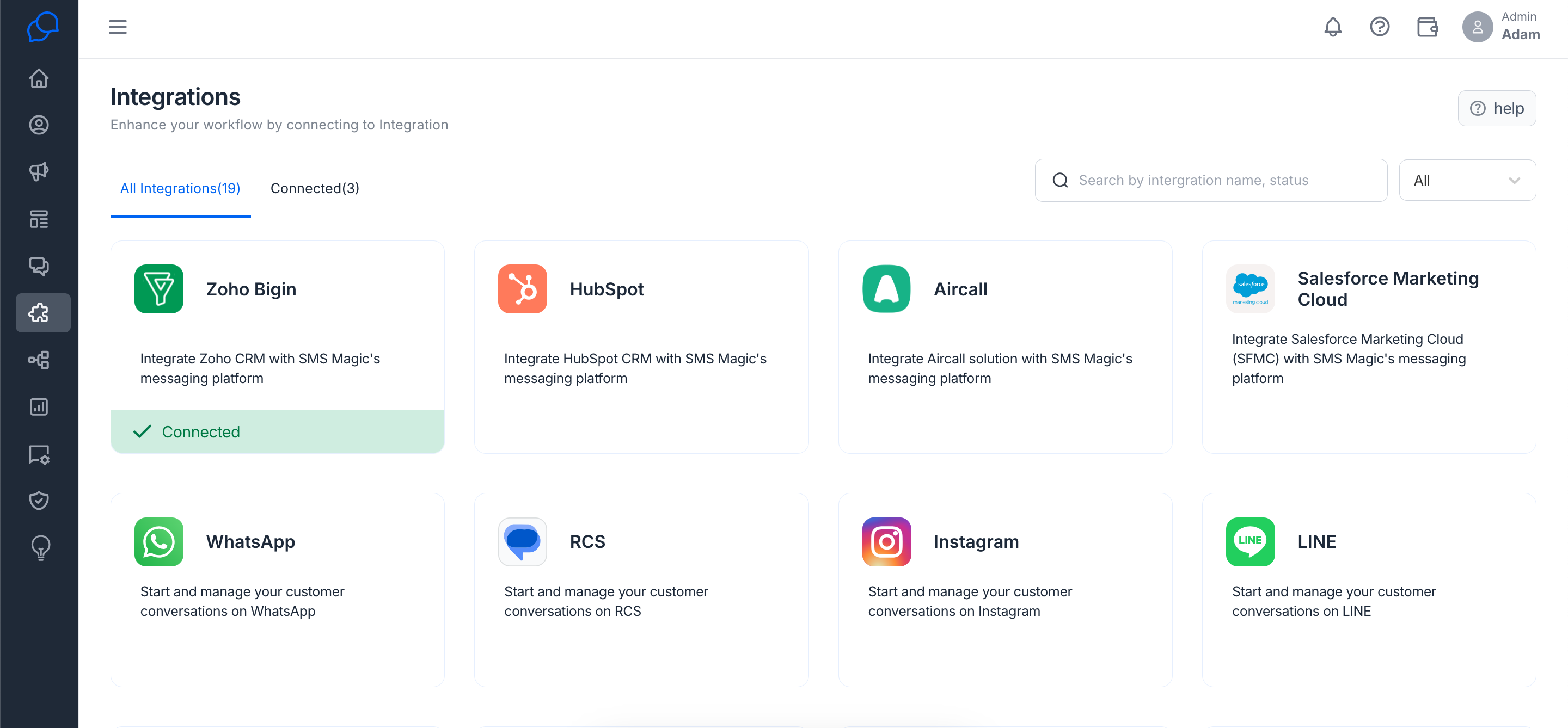
What to Do: In Conversive, look for the ‘Integrations’ section, pick Zoho Bigin from the list, and follow the steps to link it up with your Conversive account.
Step 1: Find Zoho Bigin in Integrations.
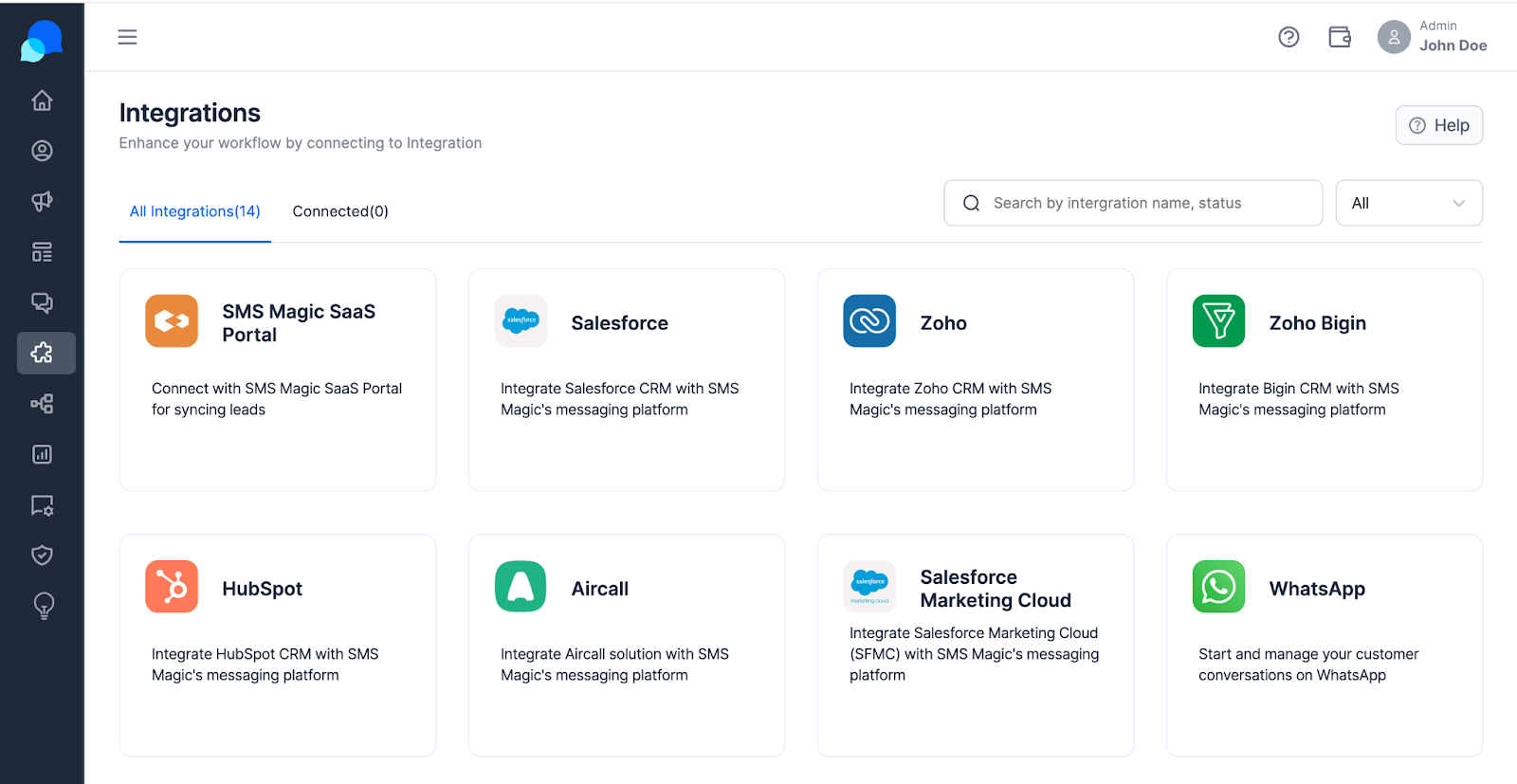
Step 2: Click on Connect to integrate with your Zoho Bigin account.
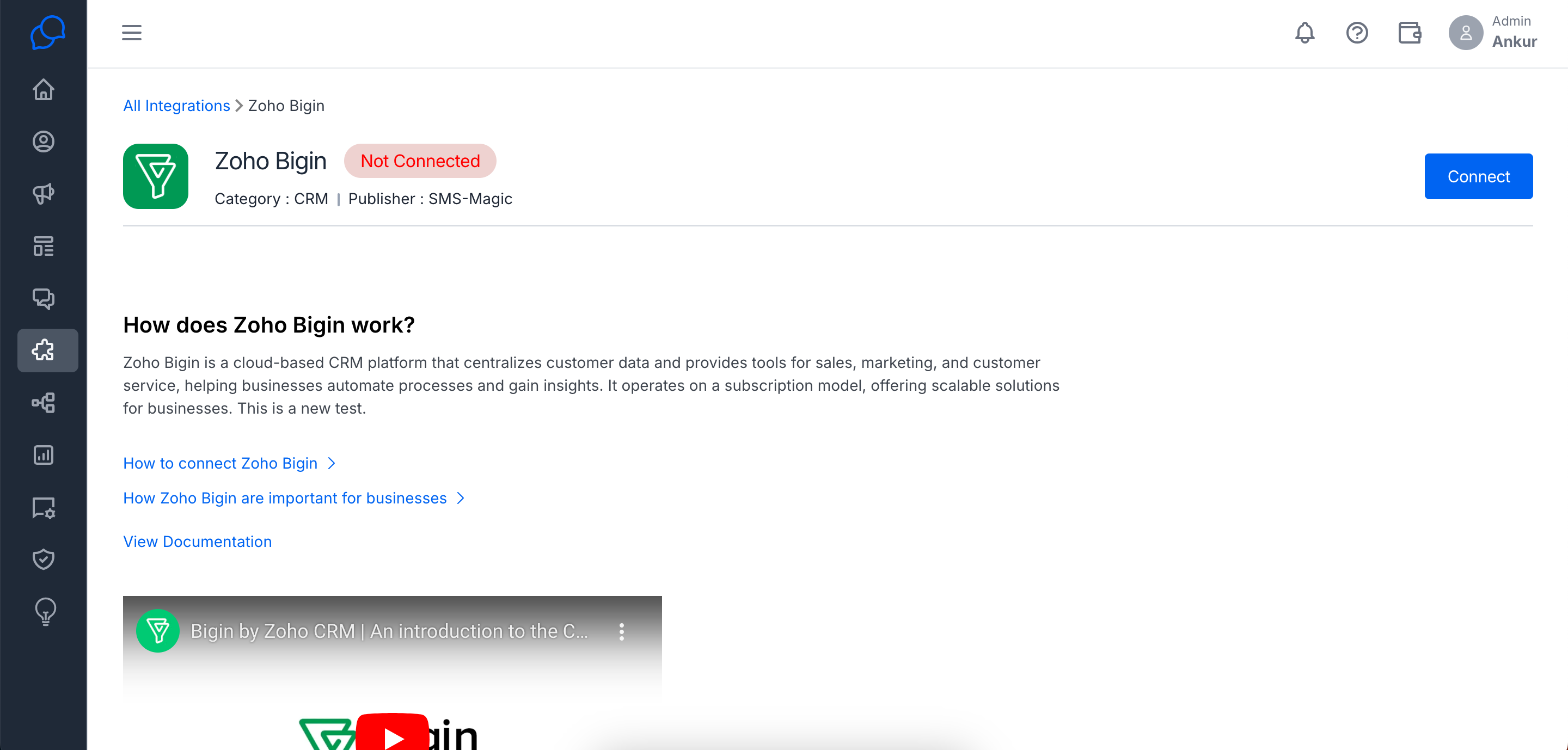
Step 3: Click on ‘Authorize’ to allow Zoho integration with Conversive.
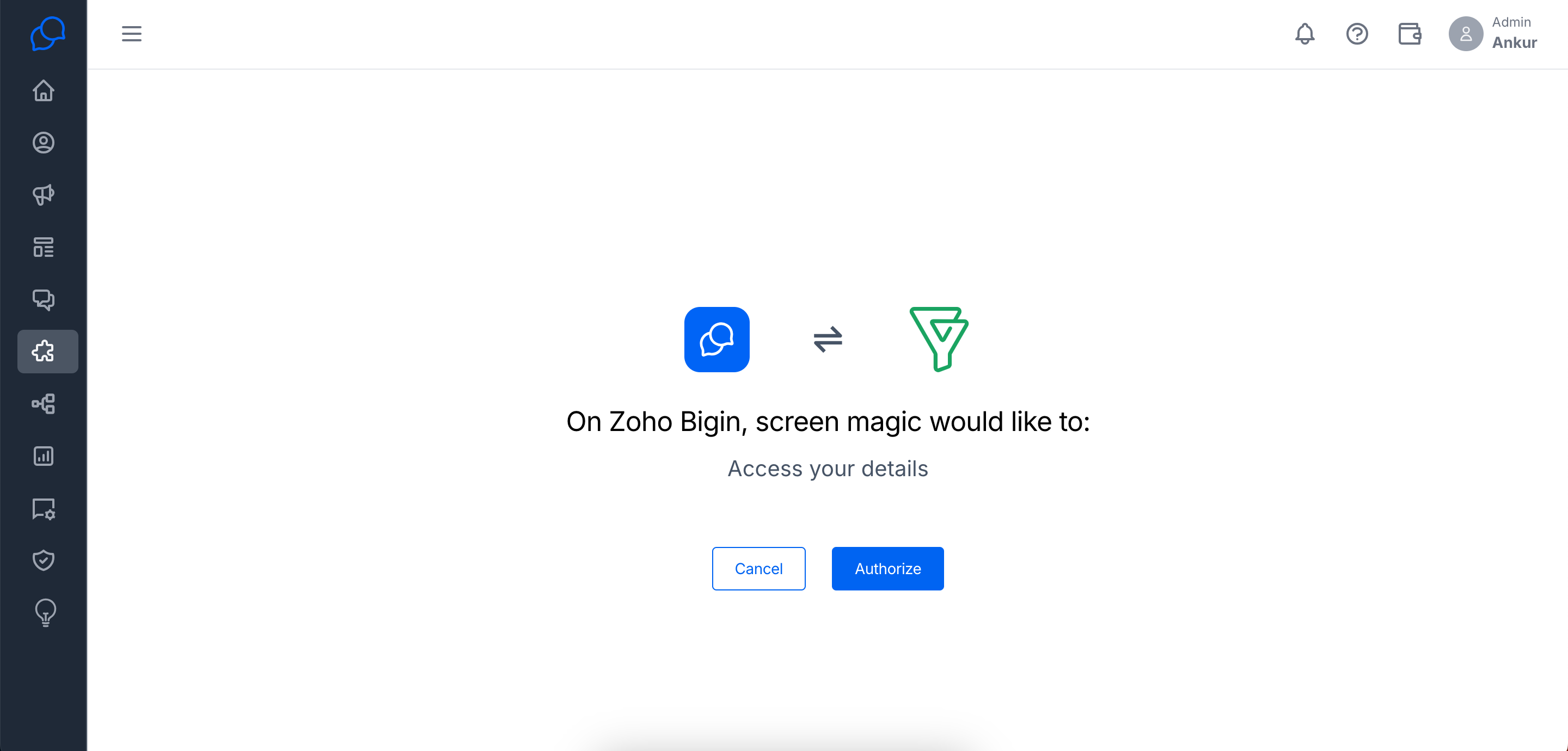
Step 4: Choose your Zoho Bigin CRM server.
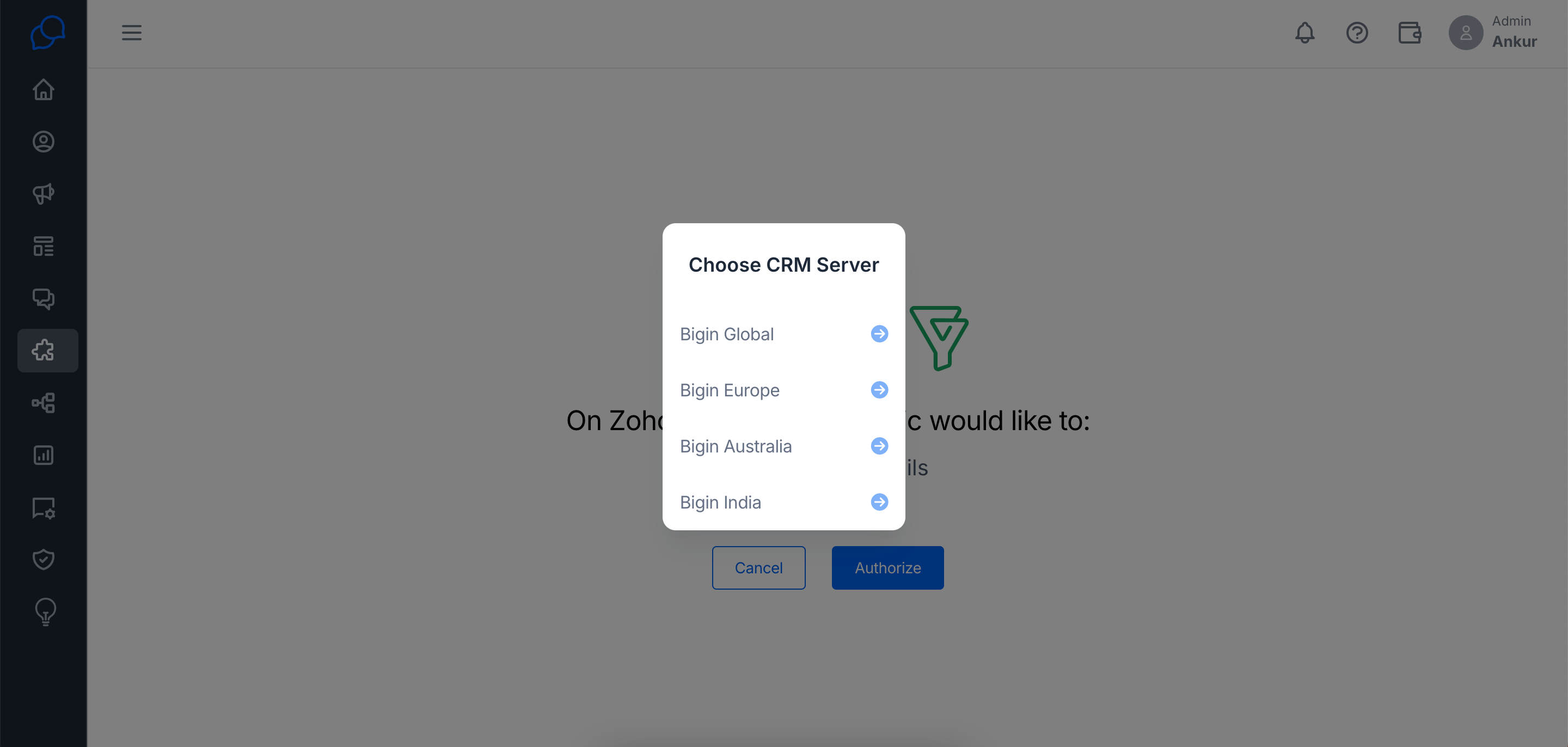
Step 5: Zoho Bigin is now successfully connected to your conversive account.
Why It Matters: This is where the magic happens. Connecting Zoho Bigin with Conversive means the two can work together, letting you manage customer chats, send out smart messages, and keep everything in sync—saving you time and boosting your customer engagement.