
How to Log In to Conversive
Welcome to Conversive! Accessing your account is simple, straightforward, and secure. We offer several methods to log in, ranging from standard email credentials to single sign-on (SSO) integrations that connect directly to your CRM or identity provider.
To get started, navigate to our login portal at https://app.beconversive.com/#/login.
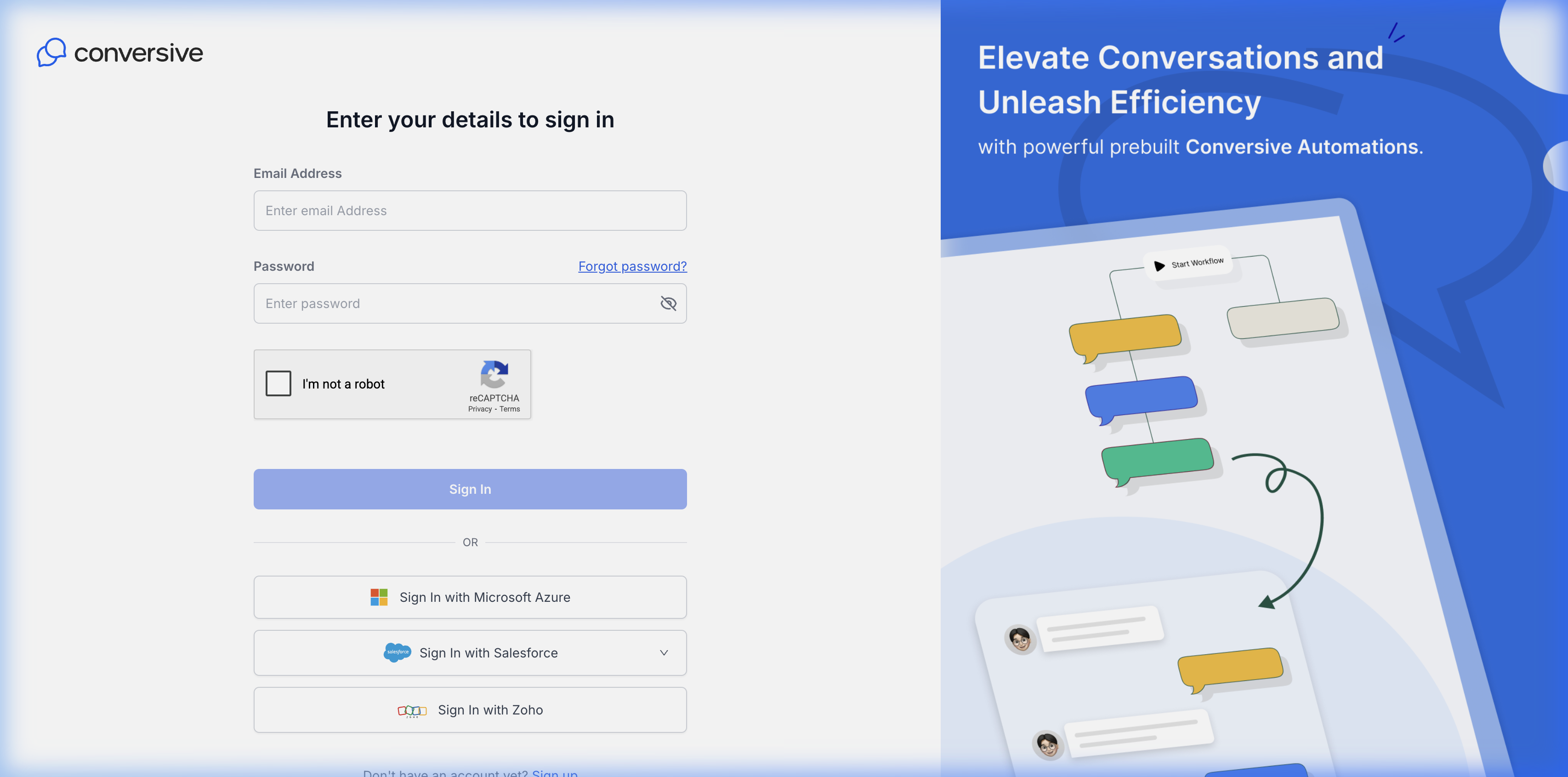
Standard Email Login
To log in using your standard Conversive credentials:
- Enter your Email Address.
- Enter your Password.
- Complete the reCAPTCHA to verify you are not a robot.
- Click the Sign In button.
Forgot your password? Click the Forgot password? link above the password field to receive a secure reset link.
Single Sign-On (SSO) Options
For enhanced security and ease of use, you can bypass the standard email login and instantly authenticate using one of our supported SSO providers.
Sign In with Microsoft Azure
Click the Sign In with Microsoft Azure button to authenticate using your organization’s Microsoft account credentials.
- Please note that you may need your Microsoft Entra ID administrator to approve the initial OAuth consent screen.
Steps to Log in:
- Visit the Conversive login page.
- Click “Log in with Microsoft” or “Microsoft Azure SSO Login”.
- Enter the same email address you used while creating your Conversive account.
- Upon successful authentication, you will be logged in via SSO.

Granting Azure Access (For Admins)
To allow your team members to use Microsoft SSO:
- As an Azure administrator, assign Conversive as an application in your Azure Active Directory.
- Add or invite users and grant them access to the Conversive app in Azure.
- Once users have access, they can log in using Microsoft Azure SSO as explained above.
Sign In with Salesforce
Click the Sign In with Salesforce button to authenticate directly through your Salesforce CRM.
- Environment Selection: Click the dropdown arrow next to the button to select whether you are logging into your Production or Sandbox environment before authenticating.
Sign In with Zoho
Click the Sign In with Zoho button to authenticate using your Zoho account credentials. This instantly pairs your session and ensures smooth access alongside your Zoho CRM suite.
Need Help? If your SSO provider rejects the login attempt, ensure that your administrator has provisioned access for your user account to the Conversive enterprise application. For further assistance, please contact support.