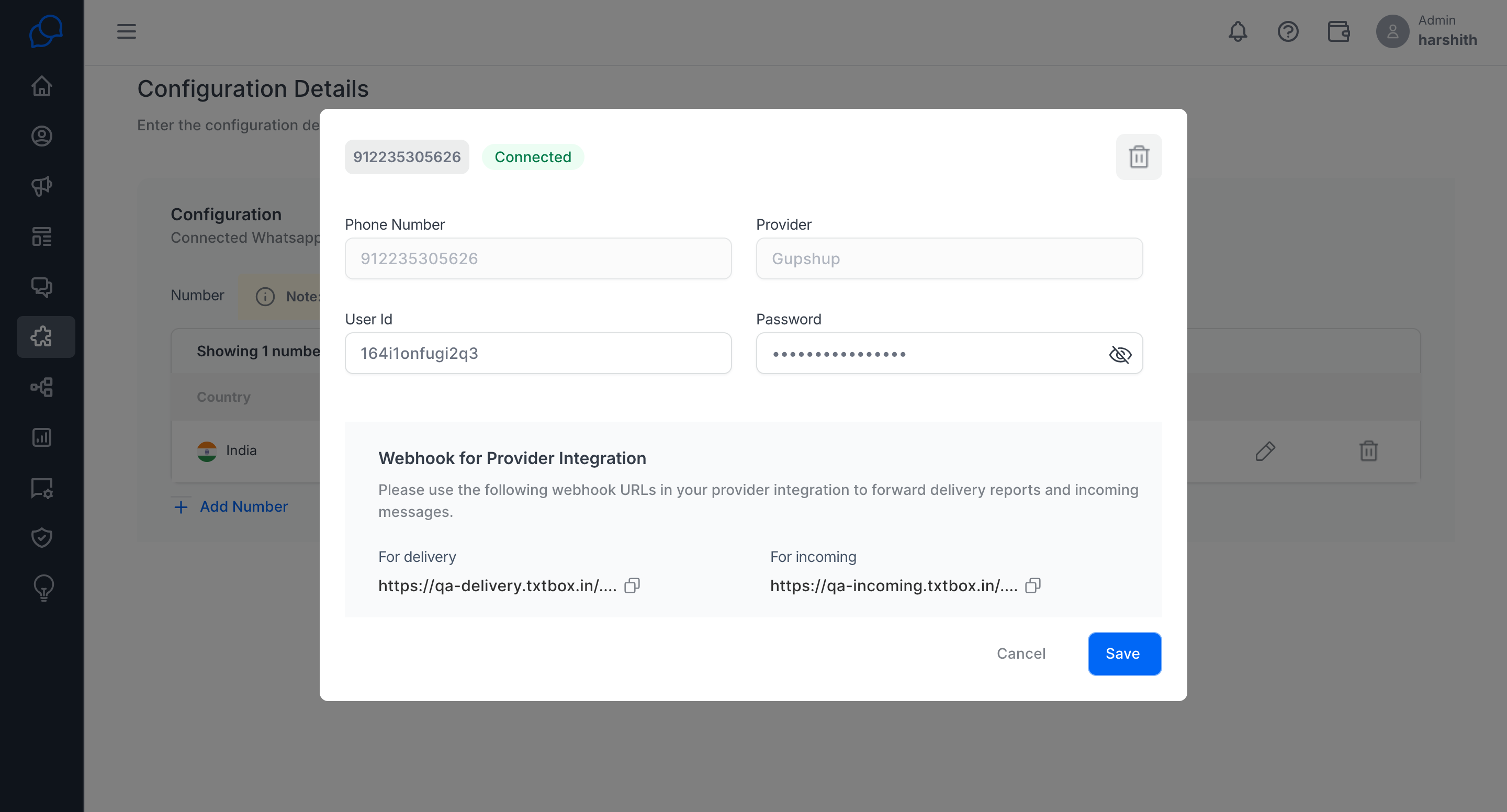
Integrate your own WhatsApp number
How can I use my existing WhatsApp number with Conversive?
If you have a WhatsApp number from one of the supported providers, you can use Conversive to send and receive messages seamlessly through this integration.
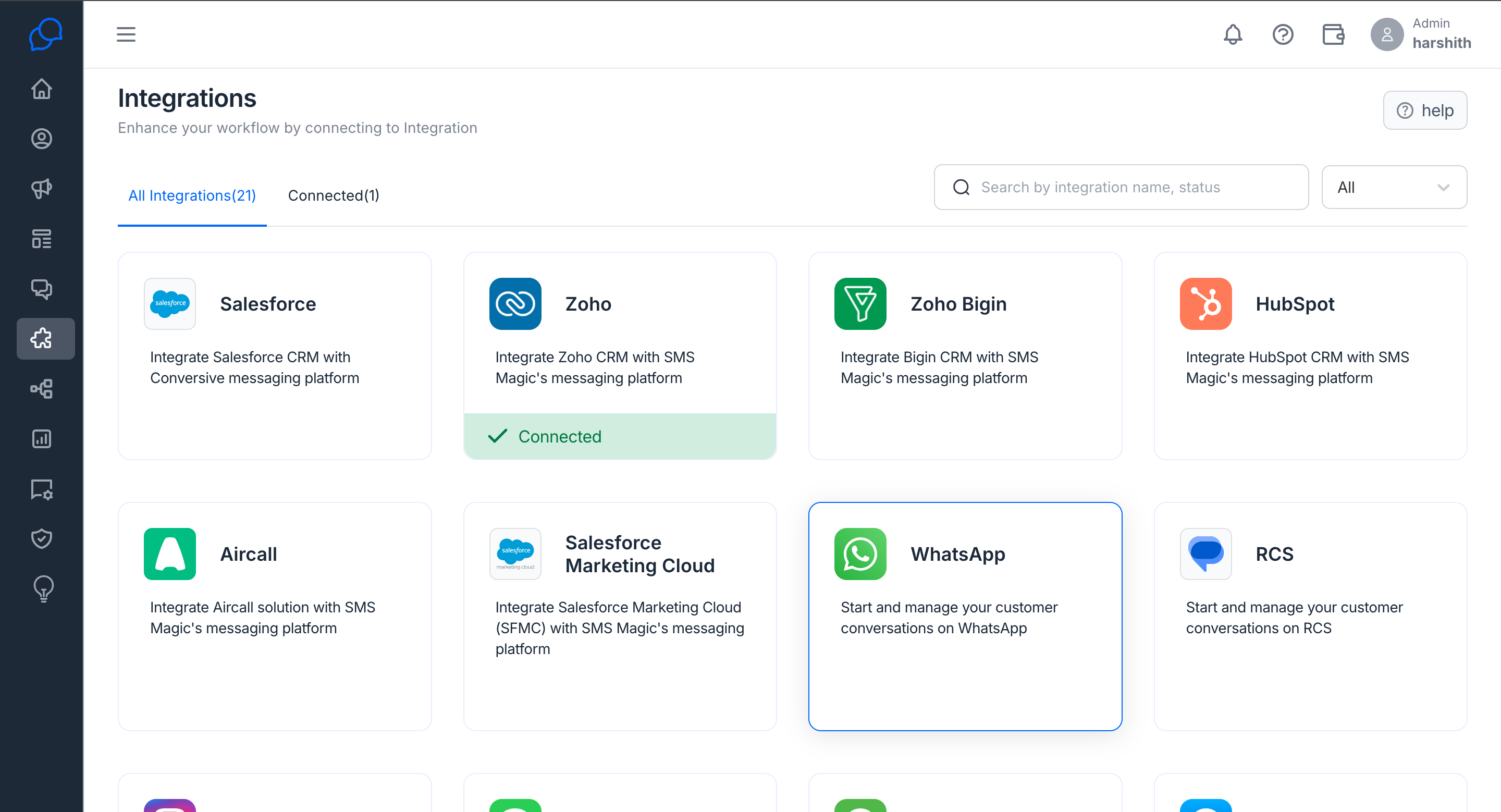
Step 1: Accessing the Integration Page
- Log in to your Conversive account.
- Navigate to the Integration page.
- Click on the WhatsApp tab.
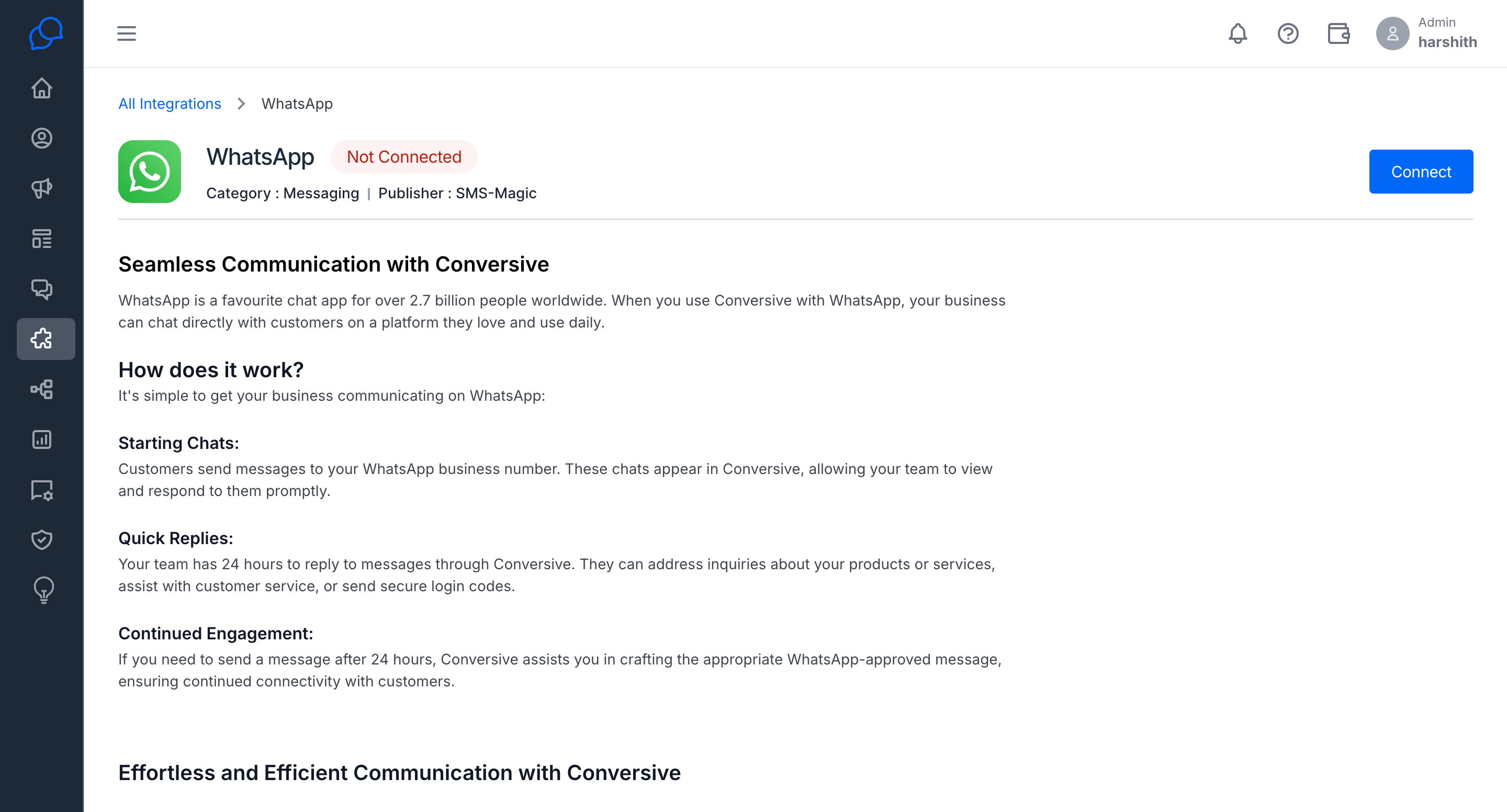
Step 2: Connecting Your WhatsApp Provider
- Click on the Connect button.
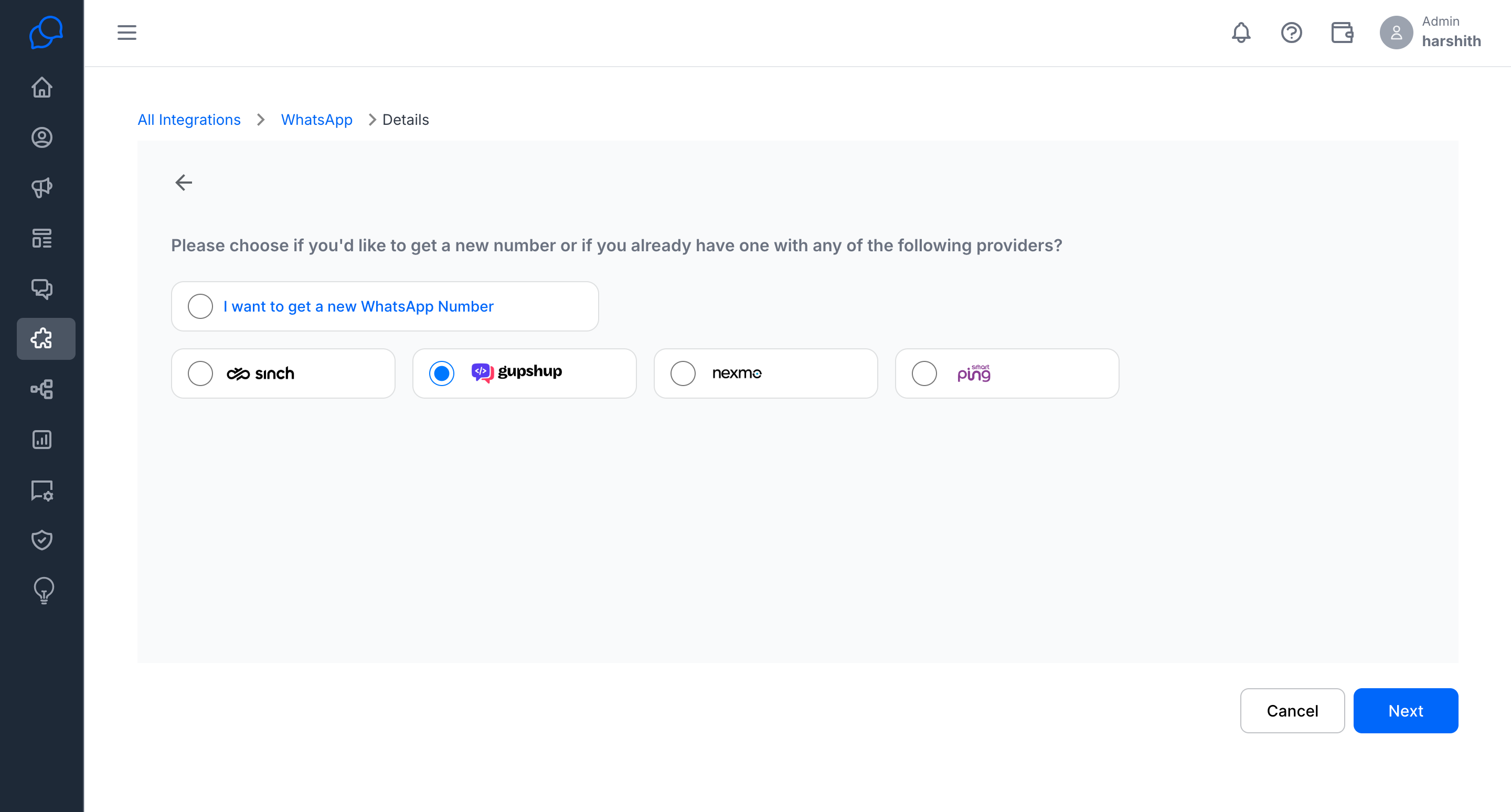
- Select your WhatsApp Provider from the available options.
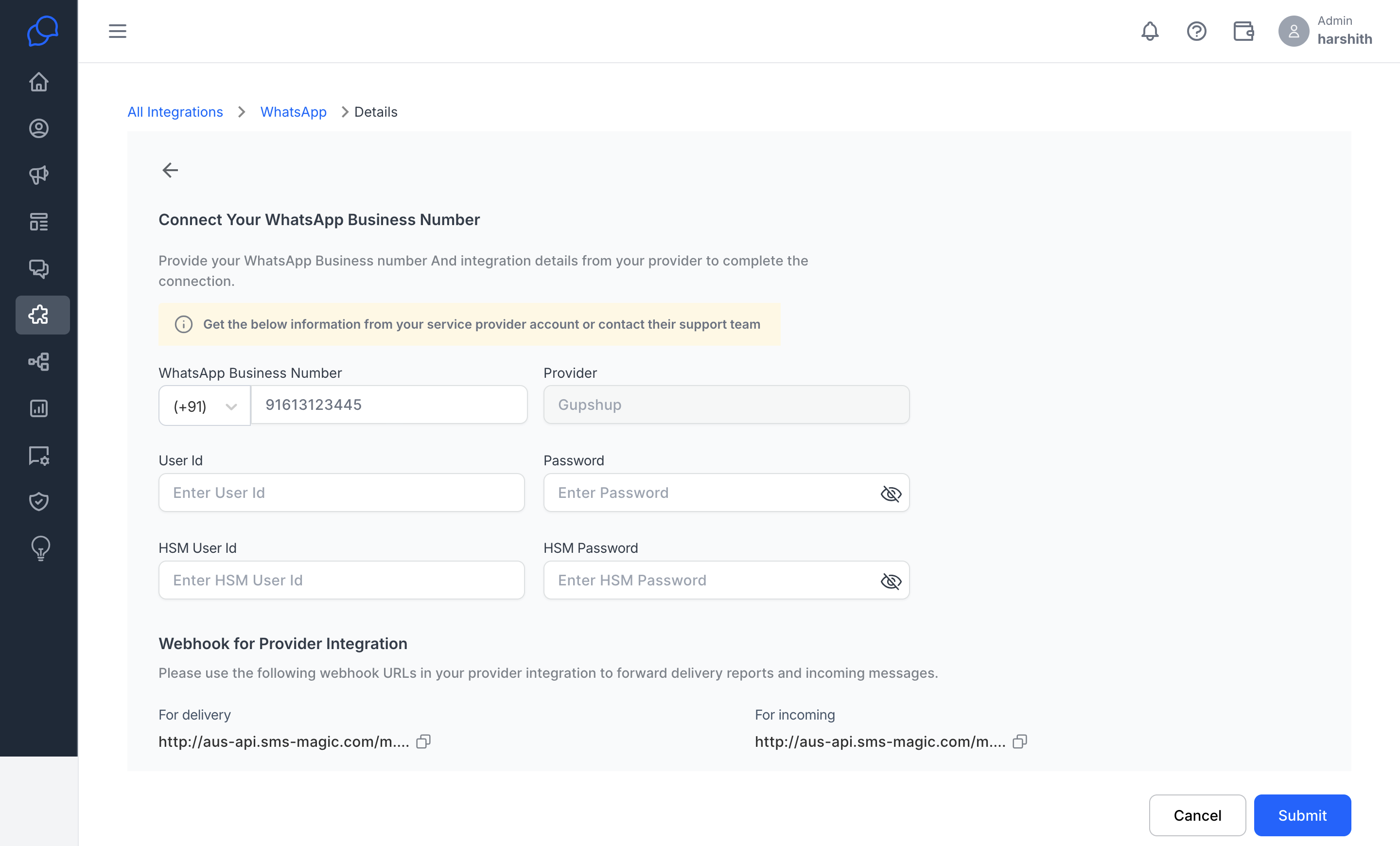
- Enter the required details to proceed.
- Configure the webhook settings on your provider’s platform to enable delivery status updates and incoming messages to be sent to your Conversive account.
Step 3: Verifying Your Connection
- Once your WhatsApp number is connected, you can view the details on the Details page
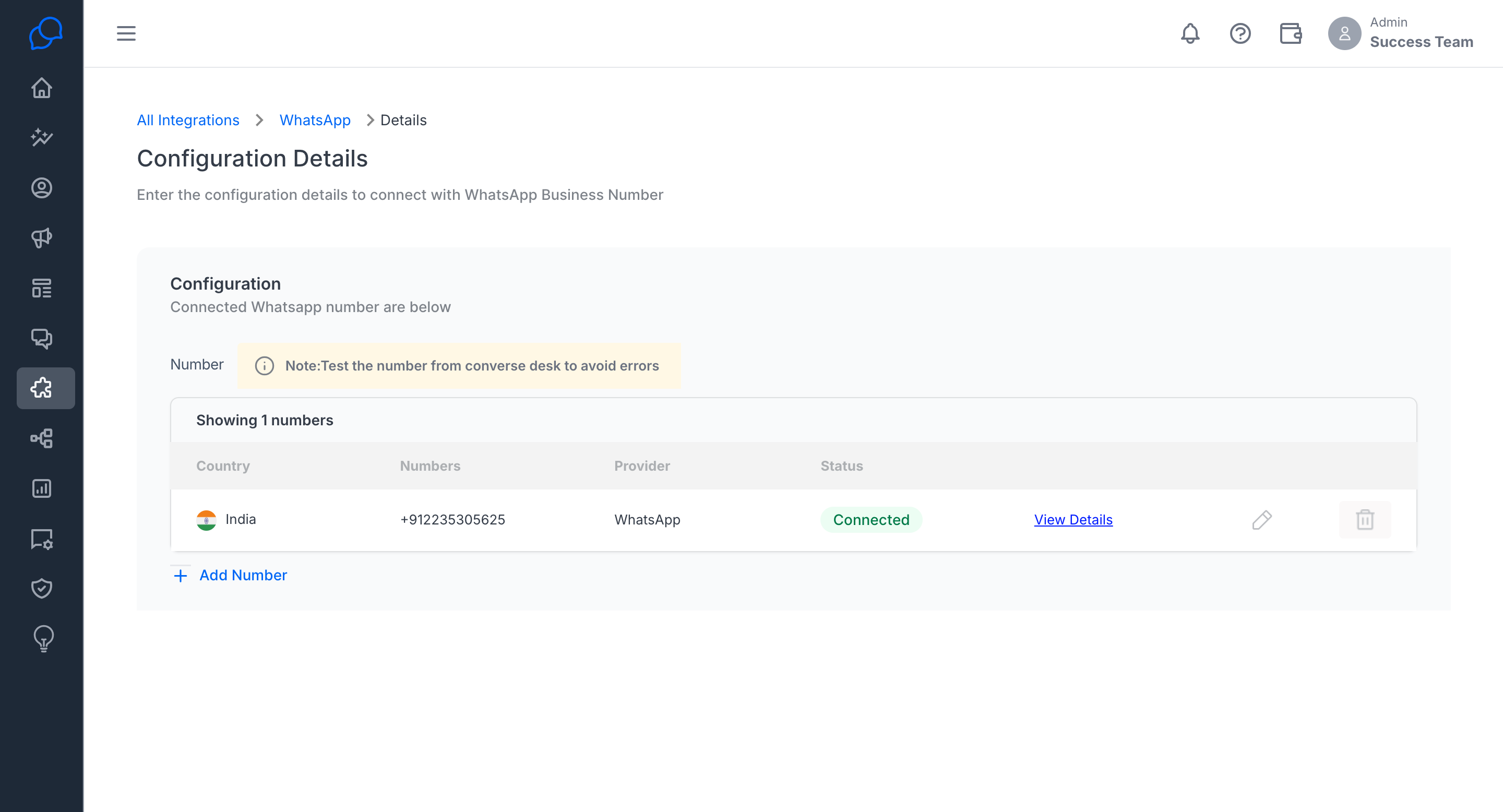
- To review or modify provider settings, click on the Edit button in the integration section.